Can Vue projects use TypeScript 7 yet? The honest answer
TypeScript 7 is stable, but Vue SFC tooling still relies on TypeScript 6. Learn what works, what does not, and the safest production setup.
Quick answer
As of August 2026, a conventional Vue project using .vue Single-File Components should not replace TypeScript 6 with TypeScript 7 as its only TypeScript installation.
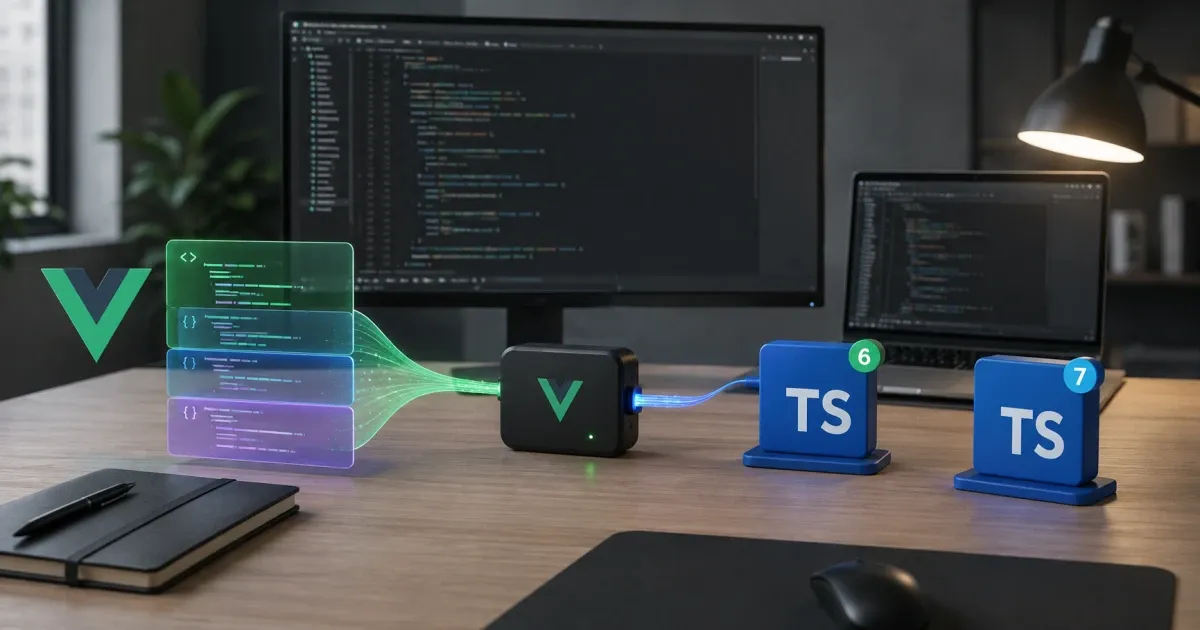
TypeScript 7 itself is stable. Microsoft rewrote the compiler and language server in Go, with substantial improvements to build times, memory use, and editor responsiveness. The limitation is elsewhere: TypeScript 7.0 does not expose the stable programmatic API that Vue’s SFC tooling currently depends on.
That means Vue Language Tools, vue-tsc, the Vue editor integration, and typed ESLint rules still need the TypeScript 6 API. Microsoft’s own TypeScript 7 release announcement recommends that Vue projects continue using TypeScript 6 for now.
The safe production choice is straightforward:
- Keep TypeScript 6 for Vue SFC type checking, editor integration, and typed linting.
- Keep
vue-tscin the validation pipeline. - Use TypeScript 7 only in isolated TypeScript-only packages where it provides a measurable benefit.
- Do not treat a successful Vite build as proof that the Vue application has been type-checked.
TypeScript 7 support in Vue is not a clean yes or no. Different parts of the toolchain currently have different compatibility boundaries.
Current Vue and TypeScript support
The relevant versions at the time of writing are:
| Tool | Current state | Why it matters |
|---|---|---|
| TypeScript | 7.0.2 | Stable native compiler, but no stable programmatic API in 7.0 |
| TypeScript compatibility package | @typescript/typescript6 6.0.2 |
Exposes the TypeScript 6 API required by existing integrations |
| Vue | 3.5.40 stable | Vue 3.6 is still in release-candidate testing |
Vue Language Tools and vue-tsc |
3.3.9 | Current Vue SFC tooling release |
| typescript-eslint | Supports TypeScript >=4.8.4 <6.1.0 |
TypeScript 7 is outside its official support range |
Those patch versions will move. The compatibility boundary matters more than the exact number.
TypeScript 7 can check normal TypeScript projects. It cannot yet replace TypeScript 6 everywhere that Vue tooling imports the compiler as a library.
Vue support means several different things
A Vue project does not have one TypeScript integration. It has several.
| Part of the project | Can it use TypeScript 7? | Recommendation |
|---|---|---|
| Vue runtime | Yes | TypeScript types are removed before runtime |
| Vite transpilation | Mostly independent | Do not mistake transpilation for type checking |
Plain .ts and .tsx files checked by tsc |
Yes | Suitable for isolated TypeScript-only packages |
.vue files checked by vue-tsc |
Not as a native TypeScript 7 replacement | Keep the TypeScript 6 API available |
| Vue editor intelligence | Not fully through the TypeScript 7 API | Keep the TypeScript 6 path for SFCs |
| Typed ESLint rules | Not officially supported on TypeScript 7 | Keep TypeScript 6 under the typescript package name |
This explains most of the contradictory advice around TypeScript 7 Vue support.
A package containing ordinary .ts files can use TypeScript 7. A Vue application containing .vue files needs more than the TypeScript executable.
Vue SFCs need more than the TypeScript compiler
The TypeScript compiler does not understand a .vue file directly.
A Vue Single-File Component can contain:
- A script block
- A template
- Styles
- Macros such as
defineProps - Template expressions
- Component and directive usage
- Framework-generated types
Vue Language Tools creates a TypeScript representation of the component. It then maps diagnostics, completions, references, inferred types, and source locations between that generated representation and the original .vue file.
That work depends on TypeScript’s programmatic APIs.
TypeScript 7.0 ships a native compiler and an LSP-based language server, but it does not ship the replacement API that tools such as Vue Language Tools currently need. Microsoft expects the new API to arrive with TypeScript 7.1.
This is why TypeScript 7 can be ready for production while the complete Vue integration is not ready for a full migration. Those statements describe different layers.
A successful Vite build does not prove type safety
The official Vue TypeScript guide states that Vite’s development server and bundler perform transpilation without type checking.
That is deliberate. Removing TypeScript syntax is fast. Analysing the complete program is a separate operation.
The following command can succeed while the application still contains type errors:
yarn vite buildVite may produce valid JavaScript because it only needed to remove the TypeScript syntax and bundle the result.
For Vue SFC projects, use vue-tsc as an explicit validation step:
{
  "scripts": {
    "type-check": "vue-tsc --noEmit",
    "build": "yarn type-check && vite build"
  }
}
The dangerous mistake is upgrading the typescript dependency, seeing that vite build still passes, and declaring the migration complete.
The bundler is useful, but it is not the source of truth for Vue type safety.
Recent Vue tooling changes do not mean full support
Vue Language Tools has already adopted parts of the TypeScript 7 transition.
The project moved its own build process to TypeScript 7 and added compatibility with Microsoft’s @typescript/typescript6 package. That change also fixed vue-tsc for users following Microsoft’s official dual-install arrangement.
It is easy to read this as full TypeScript 7 support. It is not.
The relevant Vue Language Tools change makes the boundary explicit:
- TypeScript 7 builds parts of the Vue Language Tools repository.
- TypeScript 6 remains installed under the
typescriptpackage name. - Linting, tests, and published packages continue consuming the TypeScript 6 API.
- Published packages remain on that API until TypeScript 7 provides its replacement programmatic API.
The tooling understands the transition arrangement. It has not eliminated the need for TypeScript 6.
The safest production setup remains TypeScript 6
For an ordinary Vue 3 application containing .vue components, keep the setup predictable:
yarn add -D [email protected] [email protected]A minimal package configuration is:
{
  "scripts": {
    "type-check": "vue-tsc --noEmit",
    "build": "yarn type-check && vite build"
  },
  "devDependencies": {
    "typescript": "6.0.2",
    "vue-tsc": "3.3.9"
  }
}
The exact versions are shown because this is a fast-moving compatibility window. Check for newer compatible patch versions before copying them into a project.
A lockfile already provides reproducible installations, but explicit versions also prevent an automated dependency update from replacing the compiler before the surrounding tools are ready.
That does not mean freezing the project indefinitely. Update deliberately:
- Read the Vue Language Tools release notes.
- Check the typescript-eslint support range.
- Run the complete type-check, lint, test, and build pipeline.
- Verify script and template diagnostics in the editor.
- Upgrade the compiler only when the complete toolchain agrees.
For most Vue applications, this costs less than maintaining two compiler generations inside the same package.
TypeScript 6 and 7 can run side by side
Microsoft provides an official compatibility package for projects that need TypeScript 7 while other tools still require the TypeScript 6 API.
A side-by-side installation can look like this:
{
  "devDependencies": {
    "@typescript/native": "npm:typescript@^7.0.2",
    "typescript": "npm:@typescript/typescript6@^6.0.2",
    "vue-tsc": "^3.3.9"
  },
  "scripts": {
    "type-check:vue": "vue-tsc --noEmit",
    "type-check:shared": "tsc --noEmit -p packages/shared/tsconfig.json",
    "build": "yarn type-check:vue && vite build"
  }
}
After updating package.json, install the dependencies with:
yarn installThis arrangement has an important detail:
- The package named
typescriptexposes the TypeScript 6 API expected byvue-tsc, typescript-eslint, and similar tools. - The
@typescript/nativealias supplies TypeScript 7’s nativetscexecutable. - The TypeScript 7 command should target a project that does not depend on Vue SFC compiler integration.
A suitable boundary might look like this:
packages/
  shared/
    src/
      dates.ts
      identifiers.ts
      validation.ts
    tsconfig.json
src/
  components/
  composables/
  views/
The TypeScript-only package can use a focused configuration:
{
  "compilerOptions": {
    "module": "ESNext",
    "moduleResolution": "Bundler",
    "noEmit": true,
    "rootDir": "./src",
    "strict": true,
    "target": "ES2022",
    "types": []
  },
  "include": [
    "src/**/*.ts"
  ]
}
The boundary needs to be real.
Pointing TypeScript 7 at the application’s .ts files while excluding its .vue files is not a complete application check. It can produce an impressive CI time while quietly checking only part of the program.
Use the dual-install setup where it buys something measurable:
- A large framework-independent TypeScript package
- Generated API clients or schemas
- A server package that does not use compiler plugins
- A monorepo utility package with expensive type checking
- A declaration-only library without Vue SFC source
For a small Vue application, this is probably more machinery than the project needs.
Typed ESLint rules are another compatibility boundary
Many Vue projects use typescript-eslint rules that depend on TypeScript’s type checker.
As of August 2026, the officially supported TypeScript range is:
>=4.8.4 <6.1.0TypeScript 7 sits outside that range.
The parser keeps an open peer dependency to permit experimentation, but the project provides no compatibility guarantee for unsupported TypeScript versions. It can also emit an unsupported-version warning.
This matters even when vue-tsc appears to work. A strict project may rely on typed rules for promises, unsafe assignments, unnecessary conditions, project-service analysis, and framework-specific parsing.
Replacing the TypeScript API underneath that stack without official support creates another possible source of regressions.
The dual-install arrangement avoids this by leaving TypeScript 6 available under the package name that typescript-eslint expects.
Do not silence the unsupported-version warning and treat that as compatibility. It only hides the warning.
TypeScript 7 also changes configuration assumptions
Even inside a TypeScript-only package, the migration deserves more than a dependency bump.
TypeScript 7 adopts the newer TypeScript 6 defaults and turns several previously deprecated options into hard errors.
Changes likely to affect frontend projects include:
strictdefaults totrue.moduledefaults toesnext.noUncheckedSideEffectImportsdefaults totrue.rootDirdefaults to the project root.typesdefaults to an empty array.target: es5is no longer supported.moduleResolution: node,node10, andclassicare no longer supported.baseUrlis no longer supported.- Several legacy module output formats are no longer supported.
The rootDir and types changes are particularly easy to miss.
Modern Vue projects using @vue/tsconfig, project references, and moduleResolution: "Bundler" will already be closer to the expected configuration. Older applications and custom monorepos need a closer review.
Make important assumptions explicit:
{
  "compilerOptions": {
    "module": "ESNext",
    "moduleResolution": "Bundler",
    "noEmit": true,
    "rootDir": "./src",
    "strict": true,
    "target": "ES2022",
    "types": [
      "vite/client"
    ]
  },
  "include": [
    "src/**/*.ts",
    "src/**/*.tsx",
    "src/**/*.vue"
  ]
}
This remains a Vue project configuration and should still be checked with vue-tsc, not TypeScript 7’s standalone tsc.
TypeScript 7 performance only matters where it runs
Microsoft reports typical full-build improvements between 8 and 12 times across several large TypeScript repositories. Its published examples include VS Code, Sentry, Bluesky, Playwright, and tldraw.
Those are meaningful results. They are not a promise that a Vue application’s complete validation pipeline will become ten times faster.
A normal Vue pipeline may spend time in:
vue-tsc- ESLint
- Unit tests
- Cypress or browser tests
- Vite bundling
- CSS processing
- Asset optimisation
- Server-side generation
- Framework-specific code generation
If vue-tsc and typed ESLint still consume TypeScript 6, TypeScript 7 cannot accelerate those operations merely because it exists in devDependencies.
Measure each stage separately:
yarn type-check
yarn lint
yarn test
yarn build
For a monorepo experiment, measure the isolated TypeScript 7 project separately:
yarn type-check:sharedRecord clean-run and warm-run times on the same hardware. Compare memory consumption on local machines and CI runners.
TypeScript 7 uses parallel workers, so the fastest configuration on a development workstation may not be the best configuration on a small shared CI runner.
Benchmark the actual bottleneck before adding a dual-compiler setup.
A TSX-only Vue project is a narrow exception
A Vue application can use TSX instead of Single-File Component templates.
Because TSX is TypeScript syntax, a project containing ordinary .ts and .tsx files can often use TypeScript 7 for its compiler step, provided it does not depend on unsupported compiler APIs or plugins.
That does not make TSX a general migration strategy.
Moving from SFCs to TSX can affect:
- Template authoring
- Scoped styles
- Template compiler optimisations
- Component conventions
- Designer collaboration
- Existing lint rules
- IDE behaviour
- Test utilities
- Team familiarity
Typed ESLint support also remains a separate concern.
Rewriting working .vue components into TSX to gain faster type checking is usually the wrong tradeoff. Choose TSX because it fits the component design, not because it bypasses a temporary tooling transition.
Nuxt applications have the same SFC constraint
A Nuxt application may contain several TypeScript contexts:
- Vue application code
- Nitro server code
- Shared utilities
- Module and build-time code
That separation creates a possible path for experimentation. A genuinely isolated server or shared package may be able to use TypeScript 7 before the Vue application layer does.
The application layer should still be treated as a Vue SFC project unless Nuxt and its type-checking dependencies explicitly document complete TypeScript 7 support.
Nuxt 4 makes these boundaries more visible through separate application, server, shared, and build-time contexts. I covered the broader framework changes in Nuxt 4 is here, and it is honestly great.
The useful boundary is architectural, not cosmetic. Two tsconfig files do not create isolation when both projects still import each other’s framework-specific source.
What not to do
Do not replace TypeScript 6 and trust the green build
Vite can transpile a project without type checking it.
Do not remove vue-tsc
Plain tsc does not provide complete checking for Vue SFCs.
Do not assume editor diagnostics and CI use the same compiler
The editor, Vue language server, command-line checker, and ESLint parser may each resolve TypeScript differently.
Do not force every monorepo package onto one version
Vue-facing packages can remain on the TypeScript 6 API while isolated TypeScript-only packages test TypeScript 7.
Do not install TypeScript 7 only for the version number
The migration is worthwhile when it improves a real bottleneck or unlocks a required capability. A second compiler increases dependency resolution, CI, editor, and debugging complexity.
Do not use unsupported linting silently
An open peer dependency permits experimentation. It is not an official compatibility statement.
A practical migration sequence
Use a controlled sequence rather than changing every TypeScript consumer at once.
- Update the existing Vue toolchain first.
- Move to current compatible versions of
vue-tsc, Vue Language Tools,@vue/tsconfig, ESLint, and the Vue ESLint parser. - Confirm that the project passes its complete TypeScript 6 validation pipeline.
- Record current type-checking, linting, test, and build durations.
- Identify a TypeScript-only package without
.vuefiles or compiler plugins. - Install TypeScript 6 and TypeScript 7 side by side.
- Review
rootDir,types, module resolution, target, aliases, and removed options. - Continue running
vue-tscand typed ESLint through TypeScript 6. - Run TypeScript 7 only against the isolated project.
- Compare diagnostics as well as execution time.
- Verify
.vue,.ts, and.tsxdiagnostics inside the editor. - Preserve the previous lockfile and configuration until the change survives local development and CI.
A faster command that checks fewer files is not an improvement.
When will Vue be ready for a complete migration?
A complete TypeScript 7 migration becomes realistic when these conditions are met:
- TypeScript publishes its replacement programmatic API.
- Vue Language Tools explicitly supports that API in published packages.
vue-tscdocuments TypeScript 7 as a supported primary compiler.- The Vue editor integration uses TypeScript 7 for SFC diagnostics.
- typescript-eslint includes TypeScript 7 in its supported range.
- Vue and framework scaffolding tools select TypeScript 7 by default.
- Real projects confirm equivalent diagnostics across scripts and templates.
TypeScript 7.1 is expected to provide the missing API, but that will not make every dependent tool compatible on the same day.
Vue Language Tools, ESLint integrations, editors, test tools, and framework wrappers will still need to adopt and validate it.
The TypeScript version number is only one milestone. The surrounding release notes matter more.
Vue and TypeScript 7 decision table
| Project | Recommendation |
|---|---|
Standard Vue 3 application using .vue files |
Stay on TypeScript 6 |
| Nuxt application using Vue SFCs | Stay on TypeScript 6 for the application layer |
| Vue component library containing SFCs | Stay on TypeScript 6 |
| TypeScript-only utility library with a Vue peer dependency | TypeScript 7 may be suitable |
| Monorepo with isolated TypeScript-only packages | Consider a side-by-side setup |
| Vue application written entirely in TSX | TypeScript 7 may work, but verify linting and plugins |
| Small Vue project with fast existing checks | Avoid the additional machinery |
| Large monorepo with slow TypeScript-only packages | Benchmark TypeScript 7 on those packages |
FAQ
Does Vue 3 support TypeScript 7?
Vue’s runtime can use code compiled by TypeScript 7, but Vue SFC tooling cannot yet use TypeScript 7 as a complete replacement for TypeScript 6.
Projects using .vue files should continue using TypeScript 6 for vue-tsc, Vue Language Tools, and related integrations.
Does vue-tsc support TypeScript 7?
Current vue-tsc releases support the TypeScript 6 compatibility arrangement used during the TypeScript 7 transition.
That does not mean vue-tsc can use TypeScript 7’s native compiler as its only TypeScript implementation.
Can Vite build a Vue project with TypeScript 7?
Vite can often transpile and bundle the project because it removes TypeScript syntax without performing complete type checking.
A successful Vite build does not prove that Vue templates or component types are correct.
Can TypeScript 6 and TypeScript 7 be installed together?
Yes. Microsoft provides the @typescript/typescript6 compatibility package and documents a side-by-side installation strategy.
Keep TypeScript 6 under the typescript package name for tools that consume its API. Use TypeScript 7’s native executable only for isolated TypeScript-only projects.
Should I migrate a production Vue application now?
Not completely.
Keep the Vue application layer on TypeScript 6. Consider TypeScript 7 only for isolated packages where you can prove that the package does not depend on Vue SFC tooling, compiler plugins, or unsupported lint integrations.
Final thought
TypeScript 7 is ready. A complete Vue SFC toolchain is not yet ready to use it as a drop-in replacement.
For a normal Vue project, keep TypeScript 6 as the compiler API used by vue-tsc, Vue Language Tools, and typed ESLint. Use TypeScript 7 only where the project boundary is genuinely TypeScript-only and the performance improvement justifies the additional setup.
That is not excessive caution. It preserves the checks that make TypeScript useful in the first place.